
-

-

-

-
Search
SUBSCRIBE
-
Recently Written
- Here’s To The Crazy Ones
- Despite Female Moans, SexLife Trailer Fails To Arouse [Video]
- Wii iPhone 4 iOS Home & Lock Screen Wallpaper Set [Download]
- Slap A Sexy Belly, Make Music, Huh? – Belly Jam iPhone App [Video]
- Adventure, To The Max! [iPhone Game Review]
- epic – The Toolbox iPhone iOS 4 Home & Lock Screen Wallpaper Set [Download]
- Recap Week Of January 3
- Sexy Star Wars Pinups – EWWW!
- Weird Stuff From Japan – iPhone 4 Sushi Case
- MegaMan iPhone iOS 4 Home Screen Wallpaper Collection [Download]
-
Categories
-
Archives
- August 2011
- January 2011
- December 2010
- November 2010
- October 2010
- September 2010
- August 2010
- July 2010
- June 2010
- May 2010
- April 2010
- March 2010
- February 2010
- January 2010
- December 2009
- November 2009
- October 2009
- September 2009
- August 2009
- July 2009
- June 2009
- May 2009
- April 2009
- March 2009
- February 2009
- January 2009
- December 2008
-


Wax A Hairy Groin With This iPhone App (FREAK)
Can we ask you a couple of personal questions? We promise not to judge and will keep  your responses confidential … seriously, cross our hearts and pinky swear.
> Do you secretly desire applying wax on a
man’s hairy groin area using only your
fingers?
> Does it turn you on to rip off the applied wax
and witness your victim scream in pain
while his hairless groin pulsates and turns
pink?
If you answered “Yes” to one or more of the above … FREAK! But hey, it’s all good … like we said, we won’t judge (FREAK). Rather, we’re here to help you (SICKO) by announcing the new ManWax app from RustyCroc … guaranteed to satisfy your ultimate (FREAK) male pubic hair waxing fetish.
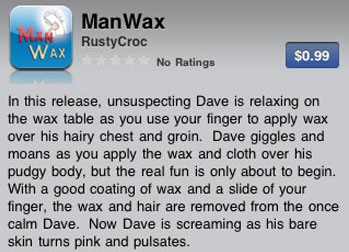
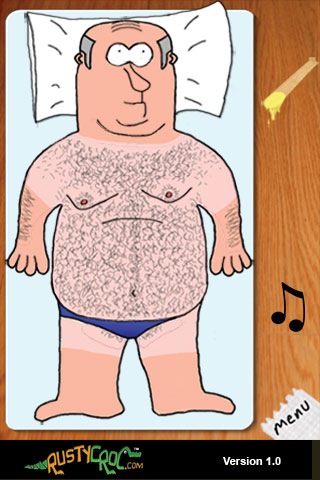
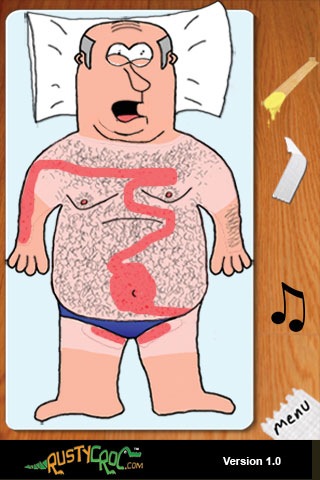
 Hmmm … now that we think about it, these rusty crocodiles might be onto something. Just think about the possibilities … BikiniWax, LandingStripWax, BrazilianWax, AppleWax (for the ultimate fan-boy/girl), etc. Hey, don’t laugh … if Apple approved the Asian Boobs app, surely they would accept a whole plethora of pubic hair removal apps. And with Apple’s ridonkulous approval process, we wouldn’t be surprised if RustyCroc’s secret “project seagull” is really the Brightsmiles For Bungholes app (ewww … come on – let’s go … it’s a fashion trend!).
Apple Approves The Asian Boobs App (not a typo), Yet Censors The Dictionary
Attention stand-up comedians … you all SUCK! Chris Rock, Eddie Murphy, Larry The Cable Guy, Dave Chappelle, Sarah Silverman, etc … it’s time to sit down, shut up and just go away. There’s a new King Of Comedy! And just like Madonna, Bono, Prince and Sting … this act is too huge for more than one name … this comedian is simply known as –> APPLE.
Now have you seen Apple’s latest routine? It’s epic – absolute pant pissing hysteria! Well  either that or you’ll experience one of those “WTF Moments” in life. Follow along closely …
ACT 1
The other day, Apple made the wise decision to censor the dictionary. You know – that reference book which contains definitions … the same reference book found in elementary schools. Yeah, dictionaries are EVIL! They contain objectionable words like ass, screw and snatch. Not only did Apple censor the dictionary, they slapped that filthy reference book with a 17+ rating. So sucks for you 16-year-old … you will not be purchasing the Apple censored Ninjawords Dictionary app.
ACT 2
So the day after saving the world from the dictionary, Apple does a favor to mankind and approves the Asian Boobs app. No, that is not a typo … the name of the Asian boobs app is Asian Boobs. Guess Apple was tired of all those discreet app titles like Lingerie Fantasy Video, Baberoo Babes, Hot Girls and Peekababe … screw it, let’s just cut to the chase … BOOBS.



The King has spoken! So you better remember …
Dictionary = Evil
Boobs = Good
But we’re still confused about this Good vs Evil deal. Maybe Apple can help us out … we get that Boobs are good – but then why are Vagina and Penis evil? LOL … great comedy!


Attention Walmart Shoppers – This App’s For You
Consider the following:
 Person without teeth … Someone being tazed by police … Discarded pregnancy test in a restroom … Kid eating a booger … An “I’m With Stupid” t-shirt
Where are would you find these? Hmmmm … at a redneck wedding? Good answer … but WRONG! No one wears an “I’m With Stupid” t-shirt to a redneck wedding. They dress up for the occasion and wear a “Drink Til You Want Me” shirt.
The correct answer is … Walmart (redneck wedding was close). And what better way to honor a store where you can buy a shot gun and a bottle of Boone’s Farm, but you can’t buy a CD that has a “Parental Advisory” sticker … than with it’s own app … Mart Bingo.
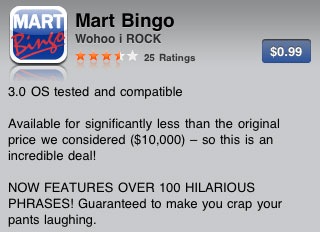
Mart Bingo is easy to play … think traditional bingo, but Walmart-style. Go to Walmart, launch app, walk around and click the bingo square when you see what’s described.

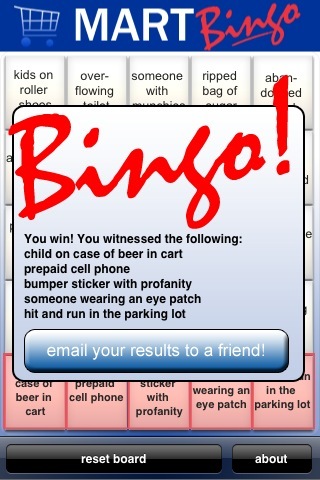
We did our research, spent 4 and a half days inside a Walmart (we still itch and smell like bleach) and now are qualified to share a few beefs we have with the app.
1. What’s with the “Kid Eating Booger” square? We saw plenty of shoppers … young and old … eating boogers. Look under any clothing rack – a goldmine for boogers. Look closely in aisle 4 … see that green toy … it’s the Giant Green Booger action figure. So what we really need is just a general “Booger” category.
 2. “Over-Flowing Toilet” square? Doesn’t exist … closest thing we found was a drinking fountain in the bathroom … oh crap, was that it?
3. “Mother Beating Child” square? This one needs clarification … we saw many moms pulling their children by the hair. So does hair pulling count as a beating? If not … “Mother Pulling Child By Hair” should be it’s own unique square.
Suggested squares for future updates:
1. “Person Wearing Pajamas and/or Bedroom Slippers” … ancillary to this would be the “Curlers In Her Hair” square.
2. “Domestic Dispute” … these special events can always be seen/heard as Walmart shoppers are eager to share their personal issues with the public.
3. “Family Reunion” … besides the “family eating in an aisle” square, we witnessed plenty of family reunions inside of Walmart – heck, why else would these folks with hundreds of screaming kids be standing/blocking the aisle just talking and yapping away?

And finally, if you need some additional Walmart activities, try these:
1. When an announcement comes over the loud speaker, assume the fetal position and scream … “NO! NO! It’s those voices again!!”
2. Hide in a clothing rack and when people browse through, say … “PICK ME! PICK ME!”
3. Go into the fitting room, shut the door, wait a while … then yell …
“There is no toilet paper in here!”
Go grab Mart Bingo and enjoy Walmart to its fullest!
Zombies vs Sheep – Serious Gaming Action, Not Just For Zombie Geeks
(written by self-proclaimed zombie nerd Tim Giron. follow Tim on Twitter @timgiron – make sure you check out his Zombie Uprising presentation)
 First off, I will have to admit that I am a total zombie nerd. I’ve read zombie novels and I’ve written a zombie screenplay. Heck, I even gave a five’>five minute presentation on surviving a zombie uprising. At no point did I ever stop and think to myself, "Hey, what if you added sheep to the zombie motif?" Until now, that is! With a distinctive graphical style that looks like cardboard cutouts on string and a set of controls that will have you feeling like you are patting your head and rubbing your tummy (while shooting stuff, of course), Zombies vs. Sheep [iTunes] from Clickgamer is a rollicking good time.

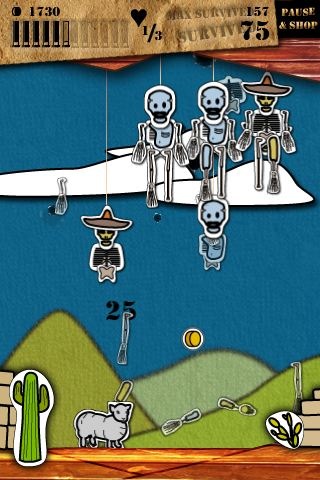
As the Shotgun Shepherd, your first task is to protect your sheep from the undead hordes that will descend wave upon wave, hell-bent with intent for guttin’ your mutton. And they’ve brought a few friends to the party as well: vampire bats, phoenixes and the tentacled boss. But don’t shoot the doves, since they give out goodies to help keep you going.
In addition to tapping the screen to aim and shoot, you must also tilt the phone to slide the sheep back and forth, either to pick up the coins that fall when a zombie is hit or to avoid contact with the flaming zombie head that occurs when you fail to hit your mark. Of course, you also have to reload from time to time and here you get a choice: either give the phone a quick flick shake or just tap on the ammo. I started out using the shake in the earlier rounds, but when there’s a screen full of baddies in the later rounds, I found the tap to be more effective since I could keep my eye on the action.
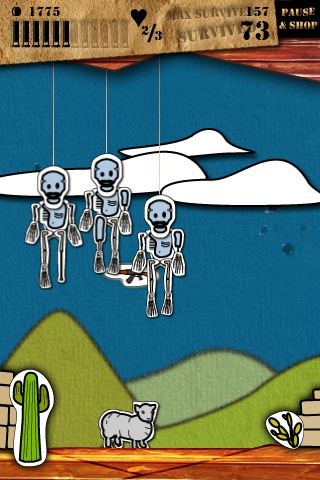
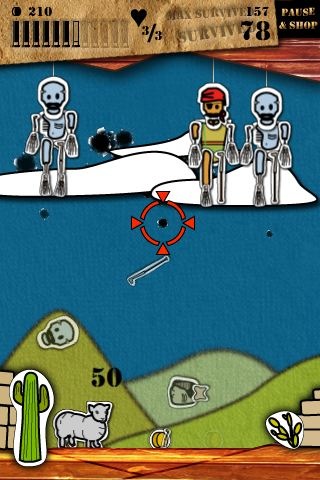
After you’ve accumulated some money, you can visit the upgrade shop where you can improve the speed of your sheep, increase the amount of ammo you get on each reload and other items necessary for survival in the later rounds. One thing you can’t buy (because it falls as a gift during the game) is the assault rifle. Catch this little gem of mayhem and you get to start mowing down your enemies at a frenzied pace. The screenshots I grabbed don’t really do it justice (I had to borrow another pair of hands just to get any screenshots in this game, it is that fast-paced). In the later rounds, the daylight fades and the enemies get stronger (’cause night time is the right time for zombie shenanigans).
At the time of this writing, the game is a steal of a deal at just 99 cents [iTunes].
(editor’s note: yeah, tim’s screenshots do kinda suck. check out the promo video we found.)
“How NOT To Sell Your App”, by Angry Jewish Men
 The developers at Woodchuck Enterprises are angry. We’re not exactly sure why. Perhaps it’s the low wages, long workers and miserable working conditions … perhaps it’s because they still haven’t figured out how much wood could a woodchuck chuck if a woodchuck could chuck wood … or perhaps The Man required them to work during Yom Kippur (hey, you’d be pissed too if you were Jewish and had to labor on the Day Of Atonement … it’s not cool). But regardless the cause, Woodchuck Enterprises are a heated bunch.
Now you know that rule-of-thumb … “don’t go grocery shopping when you’re hungry”. Well the same holds true in iPhone World … don’t develop iPhone apps when you’re mad”.
Woodchuck Enterprises had a fantastic idea for their first iPhone app … put a modern twist on the old time traditional Jewish game of Find The Matzah by releasing an app appropriately named … Find The Matzah. They came up with this cutesy Matzah Man character, complete with a nifty looking yarmulke. They coded the game where Matzah Man hides in a napkin and the goal is to find and unwrap him. Granted, not an earth shattering app … but a fairly decent one nevertheless.

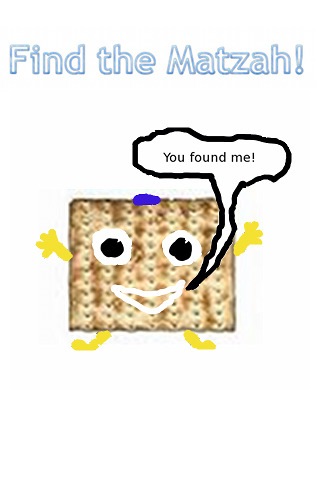
So with Find The Matzah coding completed, Woodchuck Enterprises began work on the critical task of writing the app’s description. Critical in the sense that this is their app’s voice to the customer … their one real chance to make a good impression and hopefully close the deal with a purchase and download of their app.
They decided to take the straightforward approach … the standard “How To Play” section along with a “Description” section that gives a some historic background to the game. Their work was completed … Find The Matzah had a description and now it was off to the dreaded approval process (there is no porn in Find The Matzah, so the developers were a bit nervous of having Apple reject app since iPhone porn in the new App Store rage).
But no … the angry Jewish men just couldn’t let it go. They couldn’t just hit the submit button and be done with Find The Matzah. They had to let their anger get the best of them and include a final “Note” section in the description …
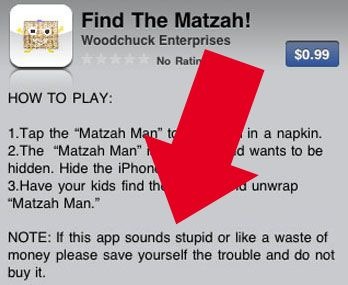
LOL …. WTF Woodchuck Enterprises?!? Are you freaking serious? Very nice first impression … watch out Camera Zoom … soon, Find The Matzah will be replacing your ass as the #1 paid app – they (and Best Buy) discovered the secret marketing ingredient … always make sure to INSULT YOUR CUSTOMER! Great advice Chuck, we won’t be buying. But congrats … you are now featured on KRAPPS … and that our friends, is priceless.
The Daily Show Spotlights iFart Legal Battle – LMAO
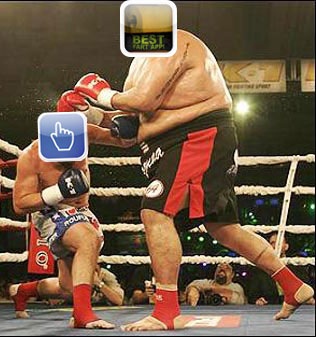 Ok, so you probably are aware of the lawsuit brewing between iFart and Pull My Finger. Yup, you heard right … FART APPS battling it out with expensive lawyers before a judge in a court of law … WTF?!? We’re not going to belabor the story … you can check out all the “juicy” details at CNET (told you it was serious – even CNET is carrying the news).
This whole fart smack down thing is just too funny to take seriously. And that’s why we want to share with you this hysterical clip from The Daily Show With Jon Stewart … it’s LMAO madness and will certainly raise a few eyebrows when Pull My Finger creator, Eric Stratton, compares his app’s accomplishments to the legendary and first African-American MLB player of the modern era, Jackie Robinson … WTF?!?
Plus One App – So Ugly It’s Cool
 The Plus One app is a free calculator which does one thing … it adds the number one over and over again. We wanted to hate it … rip it … and classify it as one of those stupid limited functionality apps. We tried our best to blow this piece of krapp up. But we couldn’t – this little Plus One bastard of an app kept making us pee our pants in hysterics.
Developer Taber Buhl did a bang up job with Plus One. … his app is completely idiotic, yet reading Plus One’s description below – it’s comedic brilliance. So brilliant in fact that we now proudly display Plus One on our own personal iPhones.
(in efforts to save bandwidth – after all, we are paying for it – minor edits have been made)
—————————————————————————————————————————-
I’d like to introduce to you a revolutionary app now available for your iPhone. Plus One is an exciting new calculator app that lets you add the number 1 as many times as you want.

Now I know what you’re saying: "Oh great, another bloated calculator app with all kinds of scientific doohickeys and whoseymawhatsits crammed onto the screen that I’ll never even use, because all I want to do is add 1 over and over." … WRONG! … For the first time ever, exclusive to the iPhone, there is a calculator designed to add the number 1. Plus One was built from the ground up with one specific goal in mind … to provide you with a smooth, enjoyable experience of adding the number 1 for as long as you see fit. You can add 1 to itself once, twice, or even several times all together. Why not 100 times in a row? Why not 1,000? That’s right, using your iPhone you now have the power to add the number 1 as long as you want, with nothing to hold you back.
Want to divide 200 by 4? Need to solve for x y or z, find the surface area of an octagon stacked on top of an isosceles triangle, or some other zany kind of math problem? Want to subtract? No sir (or ma’am), Plus One is NOT for you!
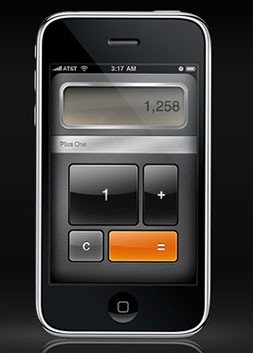
What’s the best part of Plus One? Well it isn’t its raw ability to increment the number 1.
No – it’s that YOU decide when and where to carry out your adding!
> Add the number 1 in the privacy of your own home or on the go. Grocery shopping with
your Mom and she needs 3 pears? Add 1 three times. Problem solved.
> On the beach getting a tan with nothing better to do and don’t want to nap because you
recently chugged an energy drink? Add 1 to itself repeatedly while soaking up rays.
How you choose to use Plus One is entirely up to you… as long as you use it to add the number 1! The only limit is your willingness and steadfastness to incrementing.
Ask yourself "How long can I add the number 1?" Go ahead, I’ll wait… You don’t know, do you? Well there is only one way to find out … download Plus One today and start adding the number 1 instantly! Never has there been a better time to add the number 1 than right now.

-

-

-

-
Social KRAPPS
-

-

-

-

 Email
Email Twitter
 FriendFeed
 Flickr
 YouTube

