
-

-

-

-
Search
SUBSCRIBE
-
Recently Written
- Here’s To The Crazy Ones
- Despite Female Moans, SexLife Trailer Fails To Arouse [Video]
- Wii iPhone 4 iOS Home & Lock Screen Wallpaper Set [Download]
- Slap A Sexy Belly, Make Music, Huh? – Belly Jam iPhone App [Video]
- Adventure, To The Max! [iPhone Game Review]
- epic – The Toolbox iPhone iOS 4 Home & Lock Screen Wallpaper Set [Download]
- Recap Week Of January 3
- Sexy Star Wars Pinups – EWWW!
- Weird Stuff From Japan – iPhone 4 Sushi Case
- MegaMan iPhone iOS 4 Home Screen Wallpaper Collection [Download]
-
Categories
-
Archives
- August 2011
- January 2011
- December 2010
- November 2010
- October 2010
- September 2010
- August 2010
- July 2010
- June 2010
- May 2010
- April 2010
- March 2010
- February 2010
- January 2010
- December 2009
- November 2009
- October 2009
- September 2009
- August 2009
- July 2009
- June 2009
- May 2009
- April 2009
- March 2009
- February 2009
- January 2009
- December 2008
-


It’s Not Creepy, It’s Cool – Write Your Own Obituary With Fun Obit
 We come across our fair share of “Emo iPhone Apps” – melodramatic and depressing:
> Daily Downer – aka the Have A Shitty Day app
> US Deficit / Debt Apps – yeah we feel like krap knowing our
country is nearly $12 billion in the whole, no need for a
constant reminder
> Death Clocks / When You Will Die Calculators – oh that’s
freaking comforting
> Pocket Cemetery – ah, your own personal graveyard …
so nice
Thank you – uplifting. And look now, goodie – another one to add to our list … Fun Obit.
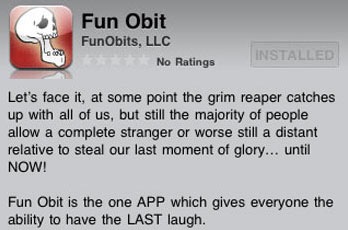
Our immediate reaction was … WTH?!? Yeah, we’ll give a few brownie points to Fun Obit [iTune – $0.99] for being original, but seriously … OBITUARIES? Just seems a bit creepy and odd writing your own obit … you know – like emo. So we reluctantly decided to contact Fun Obit developer, Tim Whitney, to inquire WTH was he thinking making this app. Reluctant because we thought he’d be a kook – like all voodoo death-wish and shit. But the more we talked Tim, the more his stuff made sense and damn it – we started to dig his app (hell, maybe he’s a mind ninja) …take a read at Tim’s thought process …
My hope is people will realize that the one thing we all have in common beyond death is we need an obit – why not write your own while you’re alive? Why not really make laughter the best medicine? Heck, it’s your 15 minutes of fame on the way out the door … death sucks, make every day count and laugh like hell in the process.
Hmm … sounds like us – we like to laugh and living is cool … why leave it to some shmohawk to write our obituary? And you know, this app also might help with a bit of self-reflection, closure and celebration of life … look at those emos smiling now!
So now that we’re all cool with Fun Obit … we tinkered around with it and we like! Emos … errr … users have the option of writing their own obituary in the Free Writing Mode or with the help of answering whacky questions in the Q&A Mode. We selected the “Death By Twitter” Q&A template and ended up dying as a truck carrying black-colored vibrators swerved to avoid a tiger which recently escaped from the Krapertino Zoo and hit our 1978 Mercury Krapi. LOL … great stuff and love the fact we could add a picture to our obit.
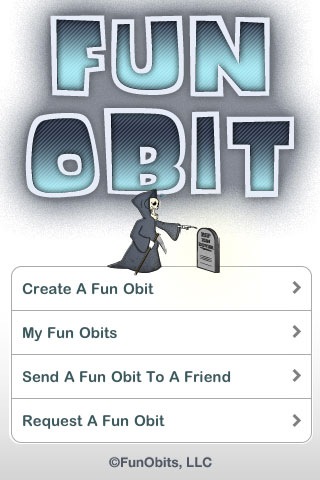

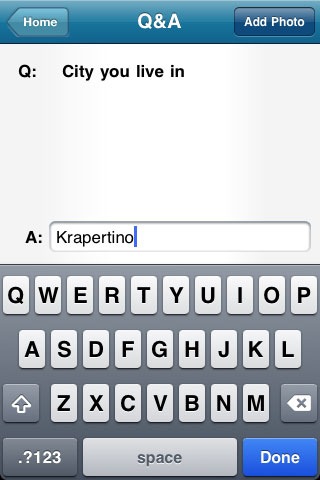
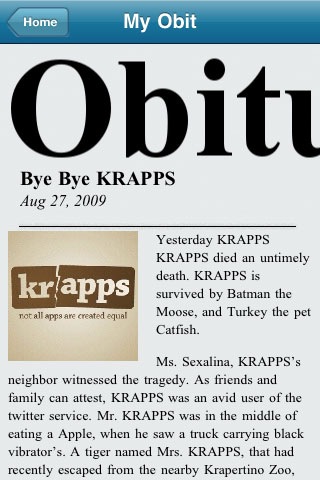
Create and save your obit, then email it to family, friends, co-workers or whoever directly from within the app. We chose to email our “Death By Twitter” obituary to Mama KRAPPS – we immediately got a call from her accusing us of being on drugs. After we explained the concept of Fun Obit, she was cool with our surprise message. Mama KRAPPS downloaded the app and wrote her version of our obit (that’s another cool thing – friends and family can join in on the obit writing entertainment). LOL … oh Mama KRAPPS, you funny … writing what pains in the asses we are … yeah, thanks mom – we love you.
And how about this feature … Request An Obituary. Fun Obit provides a convenient request screen where you can email obit requests from others about you. It’s a great way to freak out the recipient (hello, please write my obituary), yet reflect on life in a fun and unique way.
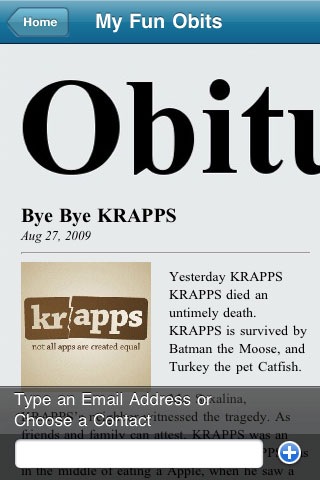

Fun Obit [iTunes – $0.99] … creepy? Nah, not really. This app might help us all remember that life is supposed to be filled with laughter and good times, why shouldn’t death celebrate the same … Fun Obit … it’s not creepy, it’s cool.
Can Pictures Talk? Sure They Can With Living Photo (aka We Love Steve)
 Living Photo [iTunes], by Conspiracy Entertainment (cool logo – do want t-shirt), is a photography / entertainment app which makes your images ALIVE. Yup, just like the name implies … your photos become animated with blinking eyes and a moving mouth. “Moving mouth” is the fun part as Living Photo enables the user to record and embed a custom audio message. Let your imagination run wild! Think talking cows, singing babies, burping pancakes, screaming chickens, etc. Of course you can also go the “traditional” route … Happy Birthday greetings, I Love You notes, Sorry I Suck apologies, Mother’s Day wishes (flowers suck and eventually end up in the trash … send a Living Photo instead) and more. Once your masterpiece is complete, you can share your utter perfect nonsense via email or upload to YouTube directly within the Living Photo app. It’s simple to use, awesome and provides loads of entertainment … all for only 99 cents. Check out a few “traditional” Living Photo examples below …
But since KRAPPS is not your traditional iPhone site, we’ll take the path less traveled … let’s make our hero, Steve Jobs, come to life!
Step 1
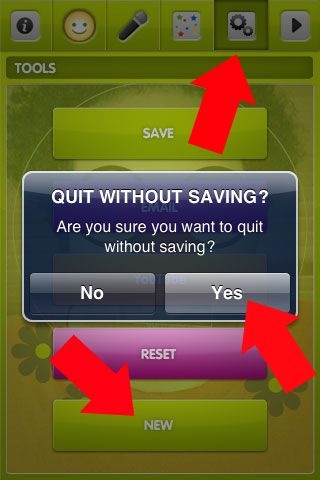
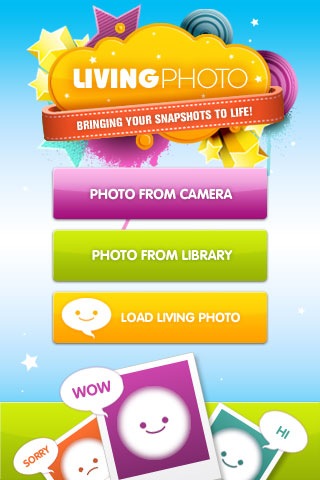
Launch app (duh) and select the “Tools/Gears” button from the toolbar. Select “New” from the Tools menu and touch “Yes” on the popup message. To upload an image into Living Photo … choose “Photo From Camera” to take a picture from within the app … “Photo From Library” to select a picture from your Camera Roll … or “Load Living Photo” to retrieve a previous stored project.
Step 2
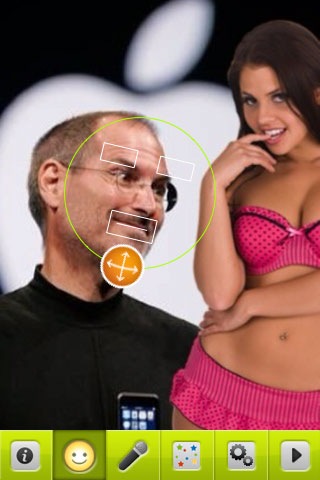
Once your image loads, select the “Smiley Face” button. This will activate the face template where you can scale and move the eyes and mouth targets. Place these three targets over the appropriate area of the image. The eye targets will eventually blink, while the mouth target will talk.
Step 3
Flair is cool … so add some to your picture. Select the “Flair” button and choose from 40 different options …stars, flowers, glasses, facial hair, earrings and more. In our “Steve Comes To Life” example … guess we could’ve chosen the halo flair (after all, he is our savior), but ultimately decided to choose the “hearts of love” option (although we were tempted by the horny devil selection … LOL).
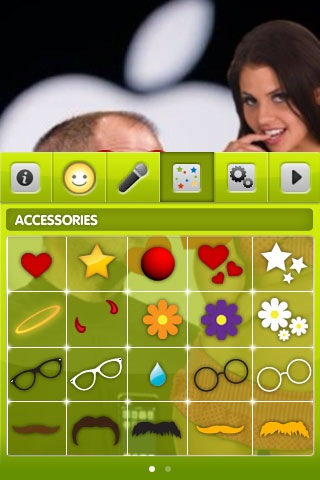


Step 4
Adding a custom audio message is a breeze. Select the “Microphone” button … then the “Record” button … and begin recording up to 60 seconds. Select “Done” and you are done recording (duh).

Finally, click the “Play” button on the far right of the toolbar to enter the preview screen. If all good … select the “Tools/Gears” button where you can save, email or upload your living photo to YouTube.
Awesome … Steve is in love – we love Steve! (sorry, we’ll shut up now with the Apple fan boy krap) Anyways, to wrap this up … Living Photo is a high quality, easy to use app which will provide endless fun and entertainment for the entire family.
 Quality products from Conspiracy Entertainment are a given since they’re a major game publisher for all platforms … releasing over 70 titles since inception in 1997 including Real Heroes: FireFighter (Wii) – Enclave (Xbox) – Road Trip (PlayStation) – and more. For a mere 99 cents, Living Photo [iTunes] is a steal, an amazing value and 100% anti-KRAPPS Certified. We love Living Photo (and we love Steve)!
This iPhone App Makes Your Pants Fall Down
Our first KRAPPS article featured an app which converts the iPhone into an amazing piece of jewelry. Containing various jewels, flowers, animals, and insects, the Amulet app allows the user to customize and transform their iPhone into the most dope necklace … perfect for those extraordinary occasions where bling is in. The app even contains detailed instructions for making an iPhone neck holder from an ordinary plastic six-pack beverage carrier. As you can see, even back then, the App Store was already revolutionary.
Well one good iAccessory deserves another. Thus the folks at Fiesta Cabin Software decided to one-up the Amulet necklace and launch … Buckle … including instructions!

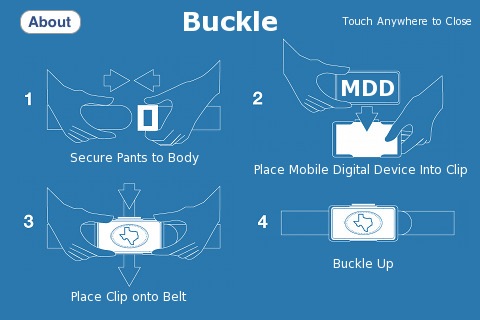
Yo – see that?!? … “Bask In The Glory That Is Your Wearable iPhone” … pardon our
man-moment, but honestly, as a proud iPhone owner … da shit is bringing tears to our eyes – it’s just so beautiful. <weep>
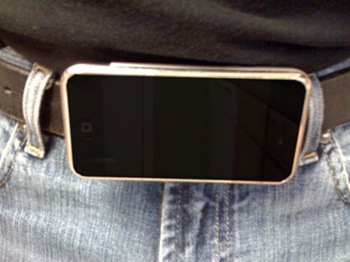
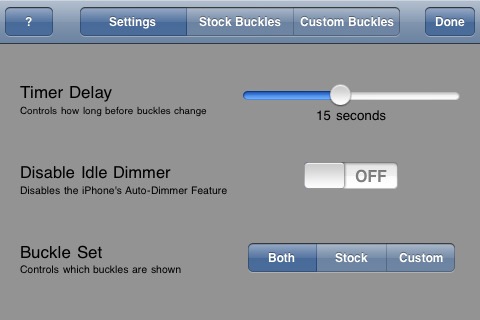
Plus get a load of these krapptastic features … Choose from 26 stock buckle selections or generate your own – Create a buckle play list (slideshow) – Buckle statistics (total views, total time viewed) – and more … WOW! Pardon – another teary man-moment! <weep> Fiesta Cabin are freaking morons for only charging 99 cents for Buckle. This thing is way better than Real Racing which goes for $9.99 … so thinking Buckle is easily a $14.99 app – totally worth it!

Anywho, we’re out. All the cool kids are doing it, so gotta go finish customizing our killer new iPhone belt buckle to impress the hotties. That and figure out a solution to a bug we discovered in Buckle … every time we answer the iPhone, our pants fall down! <weep>

Hard Core Porn On Display In Check myHottie – Along With Child Photographs [Update]
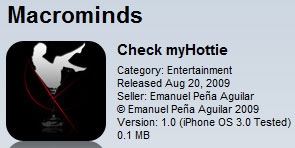 Last Friday we featured a new “Rate My Hotness” app called Check myHottie. Users upload images to the app, which are then rated and comments are left by others. At the time of our writing (within 12 hours of release), Check myHottie had a scattering of topless images. Although the developers, Macrominds, implemented a “Flag” button to report unappropriate (huh?) images … this attempt has clearly failed as the Check myHottie app is now littered with numerous hardcore pornography images.



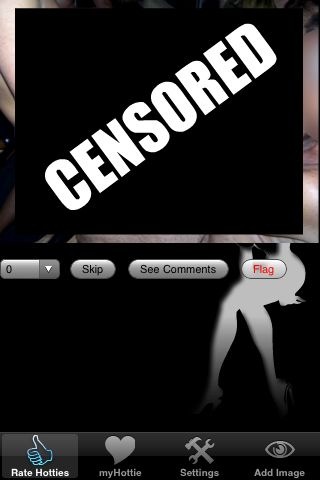
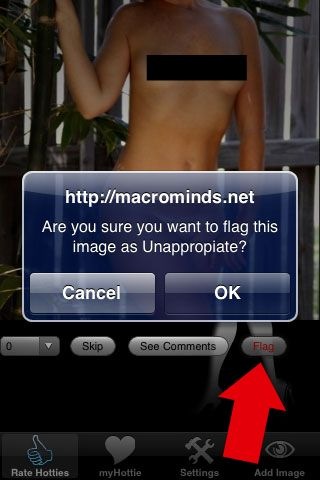
The above screenshots are not examples of the hardcore pornography we found within the Check myHottie app. But in efforts to keep KRAPPS relatively “Safe For Work”, we simply could not “black-bar” censor most of the images due to their extremely graphic nature. Let’s just say that the omitted photos make Playboy look like the Sunday comics.
What’s even more disturbing than the aforementioned hardcore porno images, are the pictures of young children also found within the Check myHottie app. By young, we don’t mean sixteen years old … rather in the five to twelve year old range. To be clear, there are NO nude underage pictures … however, the fact that these children are on display with hardcore pornography, coupled with the fact their images are receiving sexually orientated comments, is absolutely sick and disgusting (even the users of Check myHottie are offended by the images).

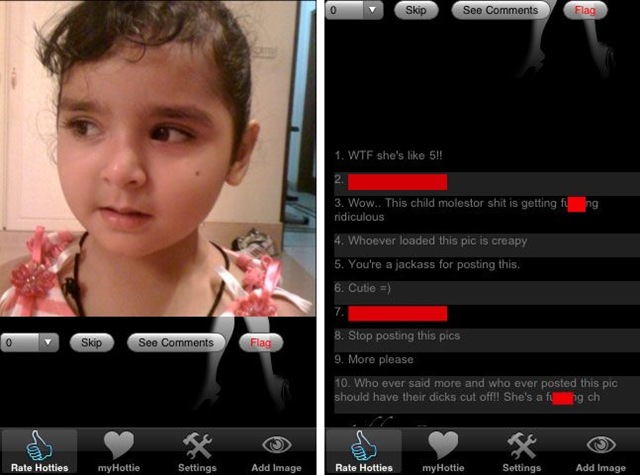

While Apple publicly claims it … “will not distribute applications that contain inappropriate content, such as pornography” … it’s obvious that user-generated “Rate My Hotness” apps are unable to properly restrict pornography. When children are on display next to hardcore pornography and their images receive sexually perverted comments … well – that’s a serious problem. And in the case of the Check myHottie app, an on-going problem for the past four days which seemingly is not being noticed in Krappertino … errr … Cupertino.
Pretty Poo – A Curiously Bizarre App
True Story (don’t believe us? – click here):
One crisp winter evening in the snow-covered Swiss Alps, three friends were enjoying a pot of homemade cheese fondue. Apparently this fondue was “magical”, because it inspired Jennifer, Indri and Marco to start a company … Digital Mint Apps … dedicated to creating designer iPhone apps. Apparently the three were sick of fart apps (agreed!) and wanted to offer the world apps which are both fun to use and a pleasure to look at. Their mission, create an app based on the theme … Stupid With Style.

Hmmm … fart apps suck – fun to use – pleasure to look at … sounds like Digital Mint Apps came up with a winning recipe for App Store success. And now, after seven months of working their asses off … Digital Mint Apps proudly presents their alternative to those lame fart apps … Pretty Poo.
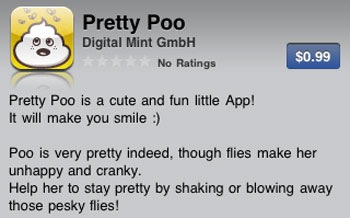


LOL … WTH is this? Keep the poo happy by shaking away the flies?!? Basically a moody pile of poop … smiling and crying – smiling and crying. But hey, your life would suck too if you had flies constantly buzzing up in your grill. And good to see Digital Mint Apps steering way clear of Fart Boulevard … farts and poop totally different – right?
But look … words cannot do justice for the Pretty Poo app. PLEASE watch the brilliant demo video to gain full appreciation and insight into Digital Mint Apps’ efforts (although debatable, we assure you the developers were not on drugs while shooting this clip) …
Ahh … this is great! Crazy Swiss making crazy apps. But it’s not just apps … Pretty Poo is positioned to take over the world with a clever social media and merchandising scheme. You got your Pretty Poo Facebook page … some Pretty Poo on Twitter … a bit of Pretty Poo television on YouTube … and Pretty Poo shirts, hats, umbrellas, boxer shorts, messenger bags, etc. Watch out Sponge Bob … Pretty Poo is going to poop all over your animated success and become the new King of Stupid, with style of course!




Chess Elite – Lives Up To The Name
(written by guest author Tim Giron. follow Tim on Twitter @timgiron)
 Even though I am primarily a Go player, I still like to play chess from time to time. Chess Elite [iTunes] from 99 Games has features to satisfy all types of players, from novice to experienced and 9 different board looks to tailor the visuals to taste. The game offers 4 different ways to find an opponent: play against the device, pass & play, play against your contacts and play against an online community.
First up is the play against device mode, which sports a strong chess engine with the ability to customize the strength to suit your current level of play. At the least challenging setting, the iPhone opponent will take just 4 seconds to make a move while at the strongest setting it will take approximately 2 minutes. The "give me a hint" functionality, which is great for novice players looking to improve their skills, also appears to be affected by the strength setting, which makes perfect sense. Also available is an unlimited number of undo/redo actions, so you can back up in the game and try a different tactic, a great feature for the chess student.
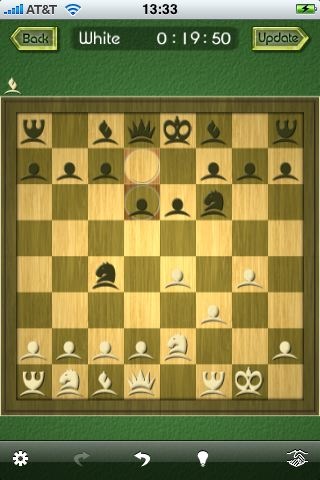

Next up is the pass & play mode which is great when you have an opponent in the room, but only one iPhone. Two styles of board flip accommodate either truly passing the device back and forth -or- setting it up like a little tiny chess table in between you. As would be expected, there is no "give me a hint" when you are playing against another person, however the undo/redo is still available (mainly, I guess, to accommodate when a piece is unintentionally dropped in the wrong place).
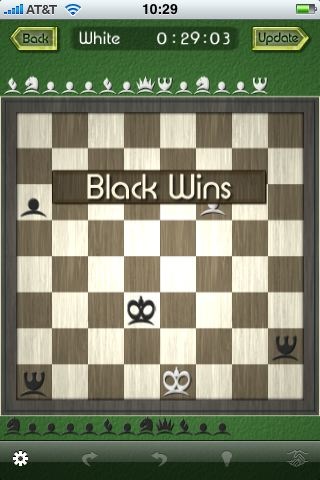

Playing against your contacts is really just a flavor of playing against the online community, since it merely generates an email to your contact and invites them to join the 99 Games community (and also gives them a handy link to buy the app if they don’t already have it). To initiate an online community game, you login with your credentials (or register directly in the app) and issue a challenge. Once your challenge is accepted, you are notified via push and the game begins. As of this morning, there were about 100 registered players. I sent out a few challenges, but haven’t gotten any response. I would presume that the undo functionality is disabled in the online games, since it would get annoying to have to reconsider moves that you already made. It would be handy to see the win/loss record and the date of last move for the online opponents.

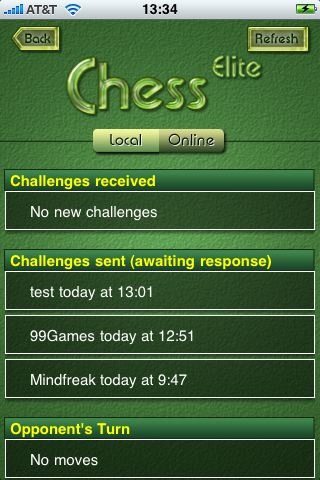
Other features that are user controlled are the display of legal moves when you select a piece, the highlighted indication of the last move made, rank and file titles (which I learned are called measures) and the sound effects. As with other 99 Games offerings, I found the app to be rock solid and well designed.
A Serious KRAPPS [Video]
(apologies in advance to Jerad over at The App Podcast … we couldn’t resist … thanks for having a sense of humor.)
 Ever wonder what KRAPPS would be like as a serious review site? Like if TUAW, Just Another iPhone Blog or Touch My Apps decided to review crappy apps, but with their normal serious tone/style:
“Although the Plus One app has limited functionality, its UI is superb with large, simple and user-friendly buttons. Adding the number one over and over just became simple.”
“Gym Babes is an engaging app best suitable for mature audiences. The filming technique is outstanding, with its original and unique front-view treadmill angle.”
So we came across a video review over at The App Podcast of the Wishing Well app. We pissed our pants it was so funny … a serious funny, if you will. Wishing Well is an app that does one thing … you throw a coin into a wishing well. And that’s it … throw a coin into a wishing well. How the hell The App Podcast could make a two minute video review about this app is beyond us … it does one FREAKING thing – throw a coin into a wishing well. Anyways, the below is what KRAPPS would be like if we took the serious approach. LOL.
-

-

-

-
Social KRAPPS
-

-

-

-

 Email
Email Twitter
 FriendFeed
 Flickr
 YouTube

