
-

-

-

-
Search
SUBSCRIBE
-
Recently Written
- Here’s To The Crazy Ones
- Despite Female Moans, SexLife Trailer Fails To Arouse [Video]
- Wii iPhone 4 iOS Home & Lock Screen Wallpaper Set [Download]
- Slap A Sexy Belly, Make Music, Huh? – Belly Jam iPhone App [Video]
- Adventure, To The Max! [iPhone Game Review]
- epic – The Toolbox iPhone iOS 4 Home & Lock Screen Wallpaper Set [Download]
- Recap Week Of January 3
- Sexy Star Wars Pinups – EWWW!
- Weird Stuff From Japan – iPhone 4 Sushi Case
- MegaMan iPhone iOS 4 Home Screen Wallpaper Collection [Download]
-
Categories
-
Archives
- August 2011
- January 2011
- December 2010
- November 2010
- October 2010
- September 2010
- August 2010
- July 2010
- June 2010
- May 2010
- April 2010
- March 2010
- February 2010
- January 2010
- December 2009
- November 2009
- October 2009
- September 2009
- August 2009
- July 2009
- June 2009
- May 2009
- April 2009
- March 2009
- February 2009
- January 2009
- December 2008
-


Pretty Poo – A Curiously Bizarre App
True Story (don’t believe us? – click here):
One crisp winter evening in the snow-covered Swiss Alps, three friends were enjoying a pot of homemade cheese fondue. Apparently this fondue was “magical”, because it inspired Jennifer, Indri and Marco to start a company … Digital Mint Apps … dedicated to creating designer iPhone apps. Apparently the three were sick of fart apps (agreed!) and wanted to offer the world apps which are both fun to use and a pleasure to look at. Their mission, create an app based on the theme … Stupid With Style.

Hmmm … fart apps suck – fun to use – pleasure to look at … sounds like Digital Mint Apps came up with a winning recipe for App Store success. And now, after seven months of working their asses off … Digital Mint Apps proudly presents their alternative to those lame fart apps … Pretty Poo.



LOL … WTH is this? Keep the poo happy by shaking away the flies?!? Basically a moody pile of poop … smiling and crying – smiling and crying. But hey, your life would suck too if you had flies constantly buzzing up in your grill. And good to see Digital Mint Apps steering way clear of Fart Boulevard … farts and poop totally different – right?
But look … words cannot do justice for the Pretty Poo app. PLEASE watch the brilliant demo video to gain full appreciation and insight into Digital Mint Apps’ efforts (although debatable, we assure you the developers were not on drugs while shooting this clip) …
Ahh … this is great! Crazy Swiss making crazy apps. But it’s not just apps … Pretty Poo is positioned to take over the world with a clever social media and merchandising scheme. You got your Pretty Poo Facebook page … some Pretty Poo on Twitter … a bit of Pretty Poo television on YouTube … and Pretty Poo shirts, hats, umbrellas, boxer shorts, messenger bags, etc. Watch out Sponge Bob … Pretty Poo is going to poop all over your animated success and become the new King of Stupid, with style of course!




Recap: Week Of August 17
In case you missed any of the festivities, quick links to this week’s articles.
August 17: Attention Stupid People! Buy This App!
August 18: Stare At Sweaty Bouncy Boobs With Gym Babes
August 19: 2,000 Apps Later, BrightHouse Labs Still Sucks
August 20: iBra Fails Miserably In Training Bra Removing Ninjas
August 21: Worry About Sperm Count? We Do!
August 21: Nude Images Now Appearing In Check myHottie – This Is Getting Old
August 22: A Serious KRAPPS [Video] … what KRAPPS be like in a serious tone
August 23: Chess Elite – Lives Up To The Name
Bonus Round
Special shouts to our boy Doug over at DizzyDoug.tv. Doug runs a very cool site which features articles and videos about everything iPhone related and grilling (sure, why not). We love to BBQ, so totally dig all of Doug’s recipes and tips (grilled banana raspberry desert is absolutely killer). Check him at DizzyDoug.tv to learn iPhone and good eats!
Chess Elite – Lives Up To The Name
(written by guest author Tim Giron. follow Tim on Twitter @timgiron)
 Even though I am primarily a Go player, I still like to play chess from time to time. Chess Elite [iTunes] from 99 Games has features to satisfy all types of players, from novice to experienced and 9 different board looks to tailor the visuals to taste. The game offers 4 different ways to find an opponent: play against the device, pass & play, play against your contacts and play against an online community.
First up is the play against device mode, which sports a strong chess engine with the ability to customize the strength to suit your current level of play. At the least challenging setting, the iPhone opponent will take just 4 seconds to make a move while at the strongest setting it will take approximately 2 minutes. The "give me a hint" functionality, which is great for novice players looking to improve their skills, also appears to be affected by the strength setting, which makes perfect sense. Also available is an unlimited number of undo/redo actions, so you can back up in the game and try a different tactic, a great feature for the chess student.
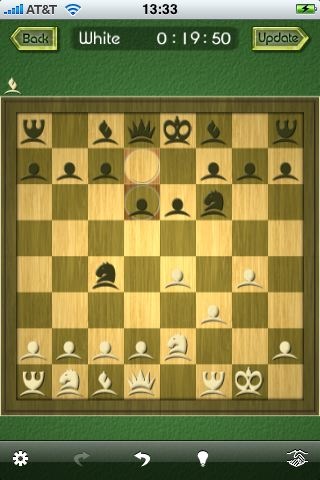

Next up is the pass & play mode which is great when you have an opponent in the room, but only one iPhone. Two styles of board flip accommodate either truly passing the device back and forth -or- setting it up like a little tiny chess table in between you. As would be expected, there is no "give me a hint" when you are playing against another person, however the undo/redo is still available (mainly, I guess, to accommodate when a piece is unintentionally dropped in the wrong place).
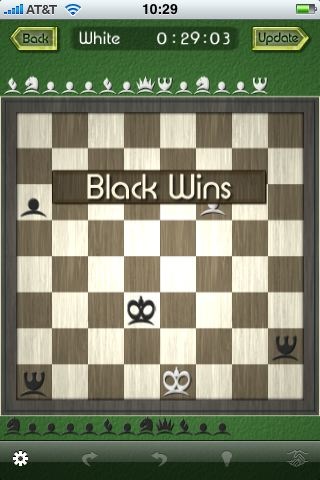
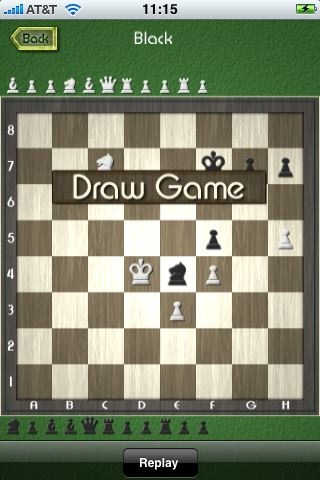
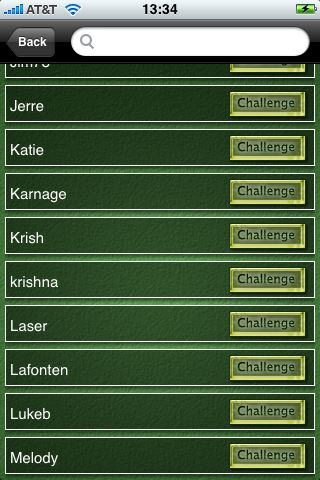
Playing against your contacts is really just a flavor of playing against the online community, since it merely generates an email to your contact and invites them to join the 99 Games community (and also gives them a handy link to buy the app if they don’t already have it). To initiate an online community game, you login with your credentials (or register directly in the app) and issue a challenge. Once your challenge is accepted, you are notified via push and the game begins. As of this morning, there were about 100 registered players. I sent out a few challenges, but haven’t gotten any response. I would presume that the undo functionality is disabled in the online games, since it would get annoying to have to reconsider moves that you already made. It would be handy to see the win/loss record and the date of last move for the online opponents.
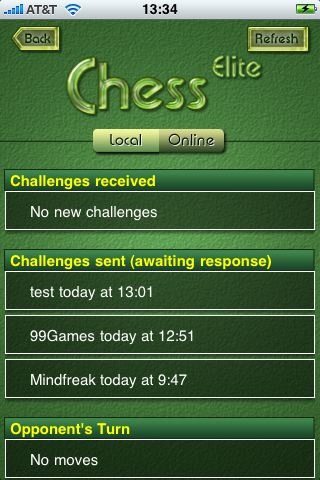
Other features that are user controlled are the display of legal moves when you select a piece, the highlighted indication of the last move made, rank and file titles (which I learned are called measures) and the sound effects. As with other 99 Games offerings, I found the app to be rock solid and well designed.
A Serious KRAPPS [Video]
(apologies in advance to Jerad over at The App Podcast … we couldn’t resist … thanks for having a sense of humor.)
 Ever wonder what KRAPPS would be like as a serious review site? Like if TUAW, Just Another iPhone Blog or Touch My Apps decided to review crappy apps, but with their normal serious tone/style:
“Although the Plus One app has limited functionality, its UI is superb with large, simple and user-friendly buttons. Adding the number one over and over just became simple.”
“Gym Babes is an engaging app best suitable for mature audiences. The filming technique is outstanding, with its original and unique front-view treadmill angle.”
So we came across a video review over at The App Podcast of the Wishing Well app. We pissed our pants it was so funny … a serious funny, if you will. Wishing Well is an app that does one thing … you throw a coin into a wishing well. And that’s it … throw a coin into a wishing well. How the hell The App Podcast could make a two minute video review about this app is beyond us … it does one FREAKING thing – throw a coin into a wishing well. Anyways, the below is what KRAPPS would be like if we took the serious approach. LOL.
Nude Images Now Appearing In Check myHottie – This Is Getting Old
Now we know this is getting old … nude images found within Apple approved iPhone apps … but lately nudes (or porn if you will – the matter is subjective) have been appearing at an alarming rate (assuming Apple’s no nudity policy is still in effect – which is a confusing one as-is). Below is a summary of apps which contained nude images:
June 25 – Hottest Girls
July 01 – BeautyMeter
July 30 – theXchange
Less than two months since the first iPhone app naked image was discovered, the Check myHottie app now joins the infamous group of aforementioned “nudie” apps.
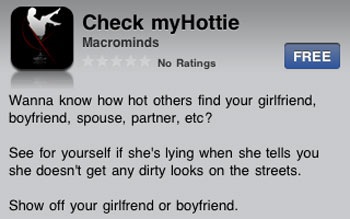
Check myHottie was released today around 12:30 am PST. Similar to BeautyMeter, this is a “Rate Me” app, where images are uploaded by the user and then rated others. Within 12 hours of release, Check myHottie began displaying topless photos.


As with any app containing user generated content, it is very difficult to monitor and enforce any restrictions. While Check myHottie’s developer, Macrominds, made a conscious effort to restrict and defend against inappropriate content (by implementing a “Flag” notification button) … it seems such attempts futile. The fact remains … apps which contain user generated content (especially those “Rate My Picture” apps) have a high propensity of containing nude images.
In the case of “Rate Me” apps, Apple might consider requiring developers to approve images before they go live, rather than relying on users to flag content after the fact. Obviously cumbersome, but perhaps a method to avoid future App Store nip slips.
Worry About Sperm Count? We Do!
 We worry a lot. We worry about Mars coming to close to Earth. We worry about shrinking our Ed Hardy shirt in the dryer (WTH). We worry about the Thule roof rack flying off our vehicle. Beef curry? – yeah, we worry. The increasing instability of Twitter? – yup, we worry about that as well. It’s not like we’re emo or something … we just have ulcers.
We worry that maybe we have anxiety. Argh!
But perhaps our biggest worry in life … to the point where we sometimes shake uncontrollably … is sperm. Specifically … we worry about our sperm count. Hey! Don’t laugh … we’re serious … not to mention a male’s sperm count is serious stuff as well. How do we know if we have enough baby batter? It’s not like you can just stick a thermometer in your mouth to get a numerical semen reading. It’s like one of those mysteries of life … How Does Man Know His Sperm Count?
Good news to all of us worrying about daddy’s little squirt … once again the iPhone answers another mystery of life with the iCount (Sperm) app … oops, sorry – sperm is a dirty word, make that … iCount (S***m)
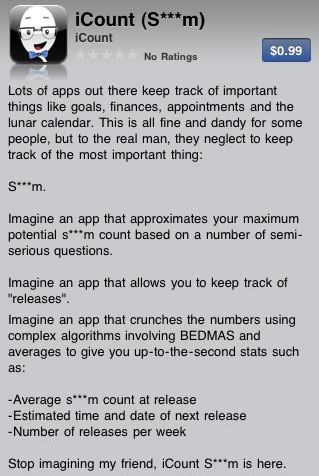
Wow – just look at these phenomenal iCount (Sperm) features … (sorry, hope it’s cool we use the dirty version of s***m):
>> Approximates maximum potential sperm count
>> Uses complex algorithms involving BEDMAS (bedmas – uh – WTH is that?)
>> Track your “releases” (releases – uh – WTH is that?)
>> Average sperm count at release
>> Estimated time and date of next release
>> Number of release per week

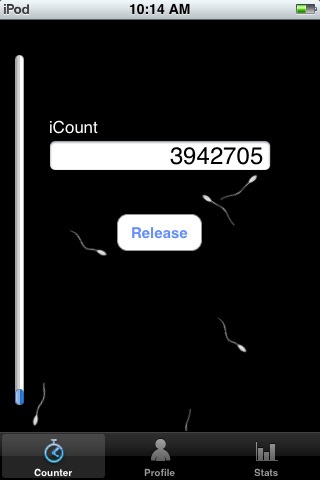
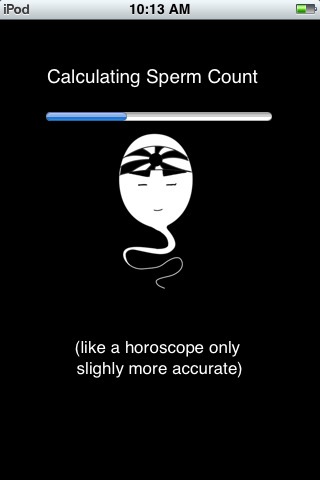
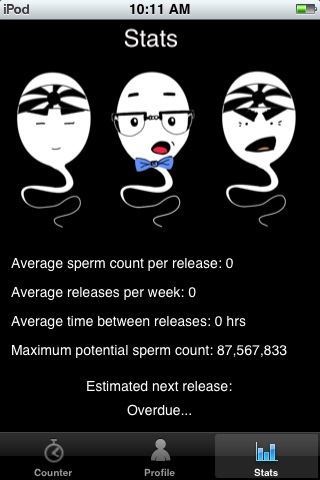
Whoa nilly … fantastic … and you can even email the developer your personal stats at icountapp@gmail.com – rumor has it that the developer will be updating iCount (Sperm) with a global leader board – brilliant!
So this is all good. Life got just a bit easier here at KRAPPS … we have one less thing to worry about now thanks to the iCount (Sperm) app. Thank you Apple!
Memo To Developers:
Apparently Apple has deemed any word beginning with the letter “i” as sacred. Case in point … iCount (S***m) – where sperm is a dirty word and thus censored …. yet iSperm is perfectly acceptable since it carries the sacred “i” prefix. Hmmm … iIntercourse, iVagina, iPiss … you can have all sorts of sacred fun understanding the Gospel of Apple.

iBra Fails Miserably In Training Bra Removing Ninjas
Last week we reviewed a very cool “meet the opposite sex” app called SEX-A-MA-PHONE. It basically functions as a witty icebreaker assisting you in meeting guys or girls.
SEX-A-MA-PHONE should work (if it worked for that ab pointing douchebag pictured below, it’ll certainly work for you) with the initial introduction, but the rest of the hook-up is totally in your hands.
 So SEX-A-MA-PHONE is successful and you meet this hot chick. The two of you hit it off … constantly talking and text messaging on the phone … going out on dates … celebrating your one week anniversary … blah, blah, blah. Things are going great. But then the relationship is ready for the next level … you know … a bit of that Marvin Gaye – “Let’s Get It On” … some of that R. Kelly – “Bump ‘N Grind” … and top if off with that Bel Biv Devoe – “Do Me Baby”. Ayyy – you’re about to throw up just at the thought of this “Let’s Get Physical” stuff. You’re a blubbering rookie with no experience getting past first base … you can see second off their in the distance, but have never managed to actually reach it. Always getting shot down. Always making a fool of yourself. What is this “second base” we speak of? Boobies … and specifically its dreaded gatekeeper … DA BRA!
Hey it’s cool … da bra is a bitch and takes a lot of dedication and practice to remove it (now it wouldn’t be a gatekeeper if every Tom, Dick and Harry could easily get by). There are tricks of the trade that must be mastered … the flick, the snap, the over-under, etc. Once you are comfortable performing these maneuvers, you can proceed directly to the Promised Land … Second Base.
But how does one become a bra removing ninja master? Oh you know where this is going (unless you are a rookie at KRAPPS too) … there’s an app for that … iBra.
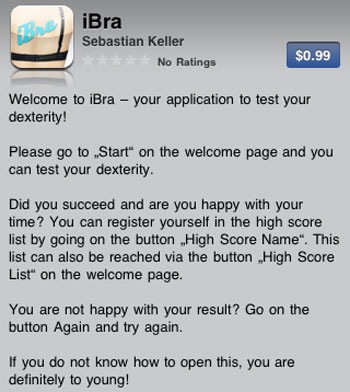
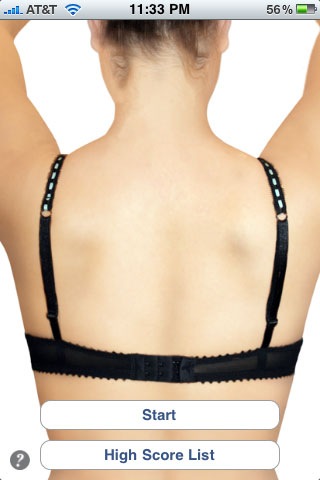
You betcha … become a committed player – practice morning, noon and night … submit your high score … beat da bra and never be without boobies again. NOT!
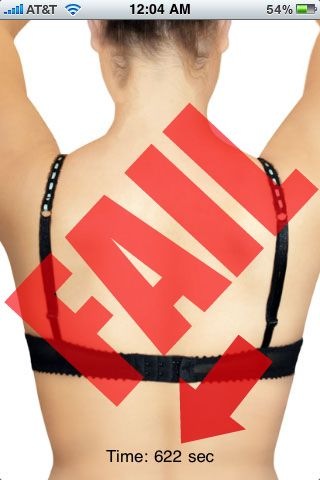
iBra is either the stupidest joke in the history of the App Store … suffering from a severe infection of bugs … or developer Sebastian Keller was on crack when developing iBra (or was Apple cracked for approving it). We spent over 10 minutes performing every ninja bra removal technique known to mankind (we Googled it) … all to no avail. We flipped it, pinched it, snapped it, stuffed it, rubbed it, smacked it, bit it, shaked it, licked it … heck, we even flipped it upside down and read it a story. Nothing – nada – zilch. Sure bra straps can be tricky … not iBra … it simply sucks! But iBra does accomplish one thing – leaving the user with a strong desire to kick Sebastian Keller square in the nuts.
-

-

-

-
Social KRAPPS
-

-

-

-

 Email
Email Twitter
 FriendFeed
 Flickr
 YouTube

