
-

-

-
-
Search
SUBSCRIBE
-
Recently Written
- Here’s To The Crazy Ones
- Despite Female Moans, SexLife Trailer Fails To Arouse [Video]
- Wii iPhone 4 iOS Home & Lock Screen Wallpaper Set [Download]
- Slap A Sexy Belly, Make Music, Huh? – Belly Jam iPhone App [Video]
- Adventure, To The Max! [iPhone Game Review]
- epic – The Toolbox iPhone iOS 4 Home & Lock Screen Wallpaper Set [Download]
- Recap Week Of January 3
- Sexy Star Wars Pinups – EWWW!
- Weird Stuff From Japan – iPhone 4 Sushi Case
- MegaMan iPhone iOS 4 Home Screen Wallpaper Collection [Download]
-
Categories
-
Archives
- August 2011
- January 2011
- December 2010
- November 2010
- October 2010
- September 2010
- August 2010
- July 2010
- June 2010
- May 2010
- April 2010
- March 2010
- February 2010
- January 2010
- December 2009
- November 2009
- October 2009
- September 2009
- August 2009
- July 2009
- June 2009
- May 2009
- April 2009
- March 2009
- February 2009
- January 2009
- December 2008
-


Hypnotherapy iPhone App Enlarges Your Penis [Amazing Video]

In case you lack Hangman skills, the iPhone application pictured above reads … Penis Enlargement – Enlarge Your Penis Effortlessly With Hypnosis.
This free app promises that with just the touch of a button, you’ll add size and girth to your penis … all through the magic of hypnotherapy. Simply listen to the 3 minute audio contained within the application and your penis grows bigger. Pretty amazing stuff … hooray!
Plus you’ll receive a wonderful icon which boldly screams “PENIS ENLARGEMENT” which you can proudly display on your iPhone … double hooray!

Unlike the other “grow your penis” application we featured last week, Penis Enlargement actually contains some value.
As a courtesy to our viewers, we’ve put together a highlight reel … a compilation of the app’s peak moments (so to speak). Trust us … you do not want to miss this! So TURN UP the volume and push play … your penis will thank us later.
iGrow Male Enhancement App Adds Length & Girth To Your Penis
Did you know you can grow bigger boobs by using your iPhone? Yes you can! A wonderful application called Breast Enlargement Project [click here for our review] promises bigger boobs in just 10 days … hooray!

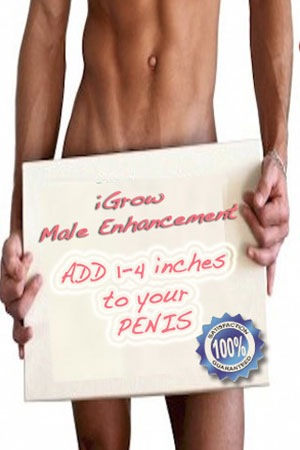
And not to be outdone by its female enhancement counterpart … the penis is happy as it now has an enlargement project as well … iGrow – Male Enhancement.

For only $5, iGrow gives results … adds length and girth to your penis … grows 1-4 inches in week! And even better, Apple appropriately rated it 9+ … so even 3rd graders can grow their unit.

iGrow reads like one of those ridiculous late night infomercials …
This app will give you guaranteed results in just a few weeks!
This is the app that will truly change your life!
Girls will love it and you will be talk of the town!
It will be the best $ that you’ve ever spent!
LMAO …
“Dear Mr. Jobs … I am requesting a refund in the amount of $4.99 to my iTunes account as the iGrow Male Enhancement iPhone application failed to deliver its guaranteed results. Since the developer did not include refund instructions, please find the attached pictures of my penis which clearly shows no growth in length or girth. If further proof is required, I am available to provide this evidence in-person. Thank you for your attention in this matter.”
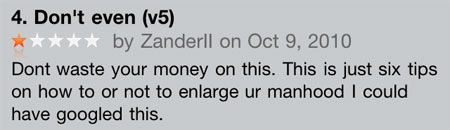
But alas, as iTunes user Zanderil points out … save your money and just Google it!
App Sends Push Notification When Your Penis Is Ready For Sex
This might be a case of TMI (too much information), but for 300 million men worldwide who suffer from erectile dysfunction, the new iPhone application … Am I Ready Yet? … is just as handy as other apps like Evernote, Netflix or Dictionary.com.

Per Wikipedia … erectile dysfunction is characterized by the inability to develop or maintain an erection of the penis sufficient for satisfactory sexual performance. To combat this droopy dick syndrome (not a medical term – we just made it up), many individuals take prescription drugs such as Viagra, Levitra or Cialis.
However using these drugs is not as simple as Pill -> Hard-On -> Intercourse. Proper planning must take place to ensure the user’s “response time” (peak pecker period) is in sync with the humpty hump phase. But even with careful planning, erection quality results are not guaranteed. Variables such as age, fitness, weight and more … complicate pitching-a-tent predictions.
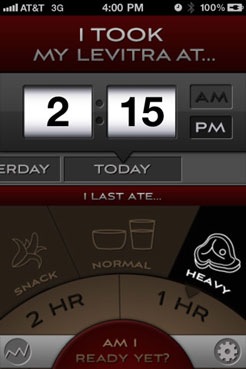
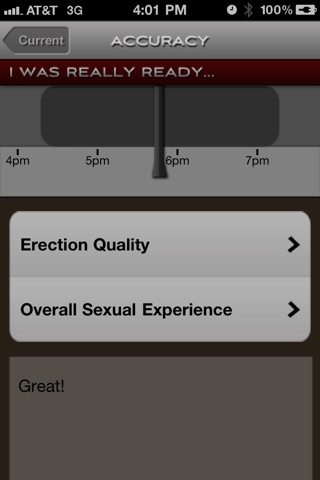
This is where Am I Ready Yet comes into play … the app allows users to enter their personal information to more accurately predict “readiness range”. Just select the medication (Viagra 25mg, Cialis 10mg, etc.) … age, height, weight, etc. … and time of intake. From there, the app works its magical erection equation and sends you a push notification of when your penis is ready for sex.
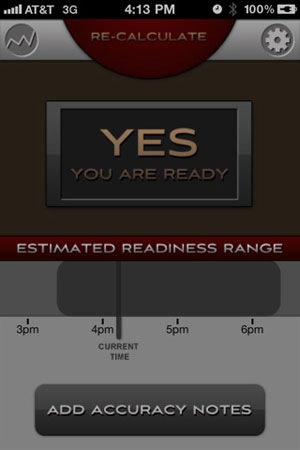
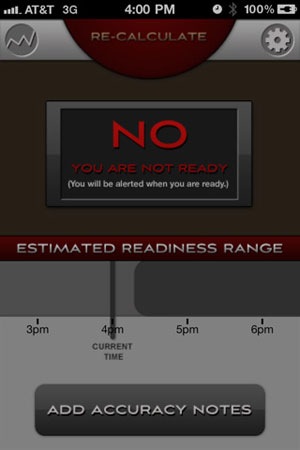
Again, maybe Am I Ready Yet is TMI … but in an App Store filled with egg, top raman and suntan timers … a boner alert really doesn’t seem that out of place.
Really Apple? ‘Lesbian Videos’ And ‘Breast Videos’ Approved For Sale
Yet another proud “WTF Moment” from the brainiacs in Cupertino …
If Apple is so against selling overtly sexual applications in the App Store, why on earth would they approve the Lesbian Videos and Breast Videos apps? From their title, to description, to screenshots … these apps represent everything Apple is so dead set against. Bravo Apple … way to keep your business strategy and rulings consistent.
Lesbian Videos
The app starts by grabbing your attention … WARNING – FOR ADULTS ONLY – 17+ … then continues to read like a best seller from Vivid …
Lesbian – sexual and romantic desire between females
HOT Lesbians – Lesbian Lovers – Teen Lesbians
Blondes, Brunettes, and Redheads – Multiple Partners – In the Bed, on the Couch
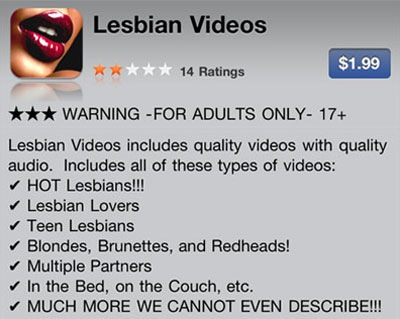

At $1.99, it’s impossible for any penis carrying human to resist such temptation. And bravo to the developers … in just three days after release, the titillating title and arousing description vaulted Lesbian Videos to #4 in the Lifestyle category. As if another “Sex Sells” proof point was needed.
Breast Videos
This one takes us back to the App Store’s glory days … with applications like Epic Boobs, Asian Boobs and Boob Trading Cards (we still cherish our Kim Kardashian rookie boob card – so cute) why even bother with some witty title? Just give ‘em what they want … BOOBIES!
Racks, tits and boobs! It’s time to see some female breasts in BREAST VIDEOS!
HOT WOMEN – Real Breasts – LARGE Breasts – Fake Silicone Breasts – Small Breasts


Oh … just in case you’re not very familiar with boobs … Breast Videos gives a useful educational tidbit about erect nipples (gee thanks) …

And finally, let’s not forget about another fine video collection we featured just last week …
Orgasm Videos

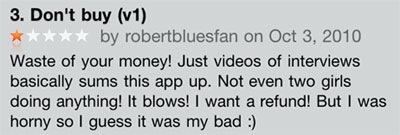
Now before you get all hot and bothered by Lesbian Breast Orgasm Videos, please note … Apple seems to have lax standards when it comes to accurate app descriptions. Actually let’s just call a spade a spade … Lesbian Breast Orgasm Videos are 100% MISLEADING (thanks Apple). Don’t believe us … check out horny dude who bought the Lesbian Videos application … the same review can be applied to the other apps as well. OUCH!
Double Rainbow Pee, What Does This Mean? Urine Teller App Can Help!
 Oh My God! Oh My God!
The other day we were taking a leak … it was a full on double rainbow piss … all the way! The colors of our pee were so intense … whoa … so bright, so vivid! Oh My God!
But as we finished our business and took one last look at our full on double rainbow in the urinal … we were left saddened and confused. Our double rainbow piss … what does this mean?
Looking back on our emotional pissing experience, we sure could’ve used the Urine Teller app to help answer our existential question … what does this mean?

Surprisingly (well – not really), Urine Teller is the only application in the App Store which helps you analyze the color of your pee. Just match the color of your wizz to the corresponding color strip … and you’ll be instantly informed to what it means.


Hmmm … so the Urine Teller process would go something like this …
Whip it out – Take a piss – Shake, Shake, Shake (no more than 3 times please) – Put it back – Whip out iPhone – Place near urine – Examine urine – Match urine color to iPhone – Be informed.
Urine Teller app … sure, why not? (don’t answer that – rhetorical question)
New App Helps Users Achieve An Orgasm (Not A “Massage” App)
Similar to our retro games iPhone iOS 4 wallpaper collection, we are accumulating quite a few “magical” applications. The reason we label these apps “magical” is because when we launch them, they do “magical” things to us … our boobs get bigger, hair grows faster, warts fall off our bodies, we lose weight, our penis gets erect and we quit smoking … seriously, no kidding – all these things happen to us because there’s a “magical” app for that!
Now in case you didn’t notice, the fifth “magical” effect was … our penis gets erect. Which is all fine and dandy, but who the hell wants to walk around with an erect penis all day … it ain’t all that. So in all honesty, we really don’t use the Fire Up Your Sex Drive app that much. Uhhh, that is until now … used with the Hypnosis To Enhance Orgasm Potential app … you be like a living, breathing, real life porn star!

Benjamin DeFoor is the developer of this hypno orgasm app … dude is an ACTUAL hypnotherapist who knows what he’s doing! Right there on his website it says … “All these apps work and are made by me, an ACTUAL Hypnotherapist.”
So yeah … it ACTUALLY works and helps you achieve an orgasm …
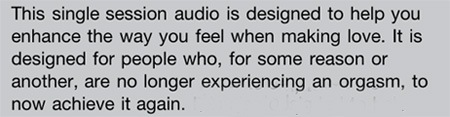
Like we alluded to … combine the Fire Up Your Sex Drive all day erection app with Benjamin’s orgasm app … it would behoove Vivid Entertainment to purchase iPhones and this application combo for all their male employees.
Make Rice Boobs With Rice Implants App
 Besides the ability to download cool (and sucky) iPhone applications, the App Store is a wonderful source of knowledge. It’s kind of like reading the dictionary for shits and giggles … we continually learn new things and increase our knowledge … just by checking out 250,000+ applications Apple has approved.
Take for example the Rice Implants app … at first we were like WTF and new type of breast implant made out of rice? We thought silicone and saline were the only choices in breast enhancements.
So then we read the app’s description … and we were still like WTF …
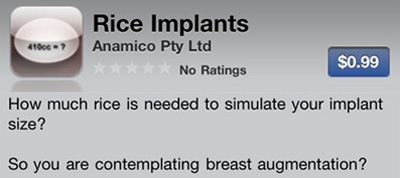
Apparently if you’re considering bigger boobs (or moobs, whatever), you can do this … fill up some pantyhose with rice and stick it under a sports bra. This "rice implant” will simulate having bigger boobs … thus allowing the woman to choose a perfect size breast (sort of like try before you buy).
But this whole filling up the pantyhose with rice can be a cumbersome and inaccurate process. That’s where the Rice Implants app works its magic … it will calculate the amount of rice needed to replicate a boob size in terms of “cc” values.

Rice boobs?!? Laugh all you want but choosing a breast size can be very distressing. Some women worry about going too big, while others worry about not going big enough. So as you can see … the Rice Implants app is a godsend and we’re not quite sure how the App Store survived without it.
Actually to be honest, we’re not quite sure how we got through life without any knowledge of rice boobs.
-

-

-

-
Social KRAPPS
-

-

-

-

 Email
Email Twitter
 FriendFeed
 Flickr
 YouTube

